
A journal per friend
Every friendship keeps its own journal: the route drawn in ink as the card travels, sealed envelopes to open, letters written with a real pen.
Shoot a photo, write on the back and pick a stamp. The stamp is the courier: a cat across town, a train across the country, a pigeon or a plane abroad. It travels in real time, and you can watch every minute of it.
Mrrp. That's Home. Tap the lens on the sill, take a photo and send it.
No feed, no likes, no strangers. A photo for someone you love, sent the way post used to feel.
The lens sits on your windowsill. Take the photo and the print develops in your hand.
Turn the card over and write. A fountain pen puts every letter down in real ink.
The stamp is the courier, and each one shows how long the trip takes. Send to up to ten friends at once.
Your friend sees the courier coming, but the photo stays sealed until it lands.
Thirteen couriers, each with its own pace and its own street. Tap a stamp to watch it go, then try a distance.
Abroad, a personal guard walks your card from the airport to your friend's door. Couriers with the gold 1ST seal come with Postmaster.
Fifty-six things can happen on the way: a flat tyre, a rival cat, snow on the line. You get one go at a little game to help. Win and the courier sets off early; leave it and it carries on by itself.
Twelve games, each with its own hand-drawn scenes. Practise them with Pip, the dog, the pigeon and the van in the Courier Yard, just below.
Pip, the dog, the pigeon and the van live in the yard between trips. Drag one into the ring and play its games for practice. Try it here: tap the dog, drag him to the ring and pull down to jump.
You add friends by invite or by their handle. Nobody else sees your cards.
Every friendship keeps its own journal: the route drawn in ink as the card travels, sealed envelopes to open, letters written with a real pen.
A lamp burns between you and a friend while cards keep going. Every day with a landing adds a day, from a candle to a lighthouse.
Stamps from the cities your cards came from, the couriers who carried them, and a stamp album to fill country by country.
Sixty uniforms and liveries for your couriers. Some are earned, never sold, and the ones they wear land with every card you send.
Every country has its own paper atlas with towns, rivers and the rail lines your trains really use, and every town its own street map where you can follow your courier. Tap a country for its towns.
More countries arrive as they are drawn.
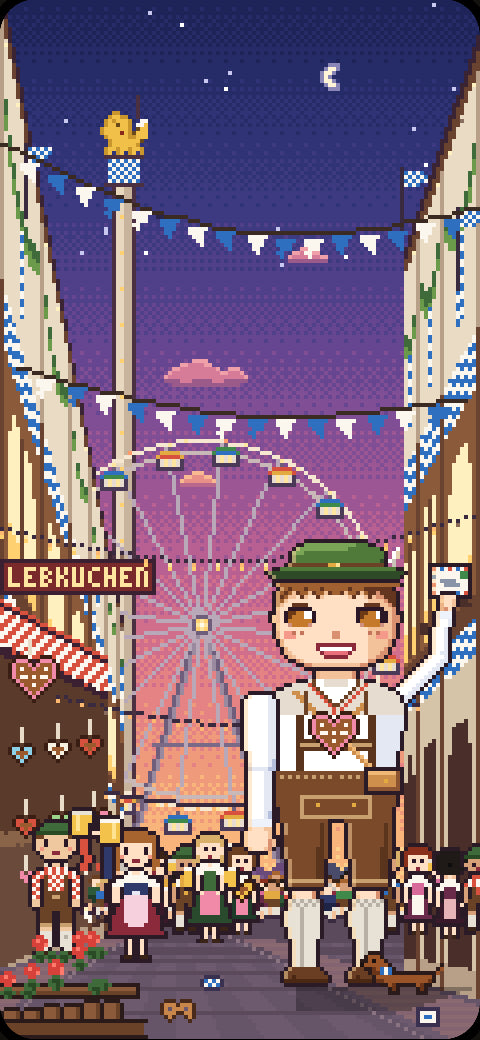
Leo is the festival courier. While a festival is on, his card is pinned to your window: ask him and he sends you a real postcard from it, with that festival's stamp for your album.
The help desk is in the app too. Ring the bell and pull a drawer: these are the same leaflets, word for word.
Couriers travel for real: the distance at the courier's speed, plus a short pickup. On the ground the road is longer than a straight line.
In town: the postal van (22 km/h), the cat (6 km/h, and cats take their time) or, in cities that have one, the metro (32 km/h).
In your country: the train (120 km/h), the bus (95 km/h) or the horse, the slow scenic one (24 km/h).
Abroad: the airliner (800 km/h) or a pigeon (100 km/h) to your friend's airport, then the personal guard walks it to their spot.
A chat letter rides the same courier but never takes longer than 10 minutes in town, 45 in the country or 90 abroad. Half that with Postmaster.
Tap the round lens on Home to take the photo. Then turn the card over and write on the back.
Pick who it's for, up to 10 friends, and send it. A courier picks it up and sets off.
Your friend sees the courier coming, but the photo stays sealed until it lands.
When a card lands, its courier knocks. Open your chats desk and find your friend's journal.
Slide the letter opener along the envelope or tap the wax seal, and the card comes out.
Every card you get or send is kept in your Collection. Saving a photo to your phone's gallery isn't there yet.
The time on the stamp is the trip itself. A few things can add to it on the way.
Stops: a red light, the driver's coffee, a cat's nap, a pigeon's rest. Each one is written in your friend's journal.
A courier who needs help waits until someone helps or its wait runs out. A lost game adds 5 minutes.
With no signal, the trip starts when the card reaches the post office, not when you pressed Send.
And cats keep their own hours: the same street can take a cat a lot less or a lot more time.
The stamp on your card is the courier. It starts on the free one for the distance: the van in town, the train in your country, the airliner abroad.
Tap the stamp to pick another. You can change it for everyone at that distance on this card, or just for one friend.
Free: the van, the cat, the metro, the train, the bus, the horse, the airliner and the pigeon.
With Postmaster: the speed car and the dog in town, the cheetah in your country, the private jet and the fighter jet abroad.
Chat letters always go with the free courier for the distance.
Only while it waits in the outbox on your windowsill. Tap the outbox, lift the card and tap Take it back. The photo stays in your prints.
Once the post office has it, the card is on its way and can't be called back. It lands sealed, and your friend opens it when they like.
A card that came back with a note can be taken back too.
A postcard holds 90 characters, a chat letter 200.
One card can go to up to 10 friends. Each gets their own copy and their own courier, and nobody sees who else got one.
You can add a line only for one friend, up to 50 characters. It goes on their copy and nobody else's.
Your roll has 12 shots a day, 24 with Postmaster. It fills up again the next day.
One photo sent to several friends is one shot. Cards waiting in the outbox count too. Chat letters don't use shots.
Films: B&W and Sepia are free for everyone. Polaroid comes with Postmaster.
Cards in the air fly past your Home window. Tap one to follow its courier on the map.
On your chats desk, a friend with a card on its way sits under On the way, with the courier's luggage tag counting down. In their journal, tap the courier's logbook entry to follow it too.
The map is the street map in town, the country map, or the world map for a flight.
When it lands, the courier knocks and the card waits sealed until your friend opens it.
Settings, Home screen, Pip on your home screen, then Add.
Or hold an empty spot on your phone's home screen, tap Widgets and find Postflight.
Pip naps by the lake, and when your latest card is travelling, its courier passes by, so you see it at a glance.
A lamp burns between you and a friend while cards keep going.
It's safe while any card between you is in the air. After the latest one lands, either of you has 24 hours to send the next.
Each day with a landing adds a day. Only the moment you press Send counts, so a long flight never puts a lamp out.
Postcards and chat letters both count. Leo isn't a friend, so there's no lamp with him.
No signal? Send anyway. The card waits in the outbox, and the lamp counts the moment you pressed Send, as long as the card reaches the post office within 24 hours.
A lamp grows with the days: a candle from day 1, an oil lamp at 7, a storm lantern at 30, a brass lantern at 100 and a lighthouse at 365.
Your best lamp is written in your passport's ledger.
In its last 6 hours a flame burns low and blue.
Pip knocks once, 3 hours before it would go out, while no card between you is in the air. If it would go out before morning, that knock may come in quiet hours.
If it goes out, the lamp is a cold stub with a wisp of smoke. A new card lights it again from day 1. Your best stays in your passport.
A spare fill of oil keeps a lamp going: when the 24 hours run out, a fill is used by itself and the lamp keeps its days instead of going out.
You get one when you come back after closing your passport, for a lamp that would have gone out while you were away.
The lamp's note in your friend's journal shows how many fills are left.
Open the friends corner: the Add a friend journal on your chats desk, or Settings, People, Friends corner.
An invitation is an 8-letter code with a link. It works once and for 7 days.
When your friend uses it, you're friends straight away. You can take back an invitation nobody used yet.
In the friends corner, look someone up by their handle and ask. When they accept, you're friends.
If they already asked you, asking back makes you friends at once.
Not now tucks a request under the stone. Nobody is told, and you can pick it back up.
Removing a friend never takes back the cards already sent. To write again, one of you asks again.
Open their passport, tap the three dots and Put in Old stuff. That blocks them: they can't find you, write to you, see your passport or see your cards, and they aren't told.
Their passport and your cards go into the closet at the bottom of your chats desk. Anything of theirs still on the way lands there, sealed and quiet.
Dust it off to let them back as a former friend: a new friend request is needed to write again.
Throw away for good hides everything between you from you, forever. It can't be undone, and nothing is deleted on their side.
Old stuff stops everything from someone at once: open their passport, tap the three dots and Put in Old stuff.
To tell the team about someone, leave a note here with their handle and what happened.
If someone is hurting you or someone else, leave a note for the team here and say so plainly. If anyone is in danger, call your local emergency number first.
While a festival is on, Leo's card is pinned on your Home window and the festival shows on the map. Tap it to ask Leo for a postcard.
It travels for real, by airliner from the festival, and brings that festival's stamp for your stamp book.
Free: one postcard from Leo a year, from any festival. Postmaster: one from every festival, every year.
Five more couriers: the speed car and the dog in town, the cheetah in your country, the private jet and the fighter jet abroad. Paid planes hand your card to the airport express instead of the guard's walk.
The fastest are about 3 to 4 times quicker than the free couriers. Chat letters take at most half as long too.
24 shots a day instead of 12, and the Polaroid film.
The Tailor's uniforms for your couriers, and a card from Leo at every festival instead of one a year.
There are two tickets: by the month or by the year. Google Play shows the price in your currency before you pay.
A ticket can start with a free week when Google Play offers one to you.
The ticket renews by itself until you cancel. Cancel any time in Google Play and keep Postmaster until the end of what you paid for.
Postmaster is cancelled in Google Play. Open Settings, Postmaster ticket, and tap Manage in Google Play.
You keep Postmaster until the end of what you paid for.
Closing your Postflight passport does not cancel it. Cancel it in Google Play too.
After it ends your cards stay, paid couriers already on their way still land, the film goes back to 12 a day, and the Tailor's uniforms wait in the locker. The ones you earned stay on.
Postmaster belongs to your Postflight passport. Sign in with the same passport on the new phone and it comes with you.
If it doesn't show, make sure Google Play uses the same Google account you paid with, then tap Restore a ticket in the ticket office or on your ticket (Settings, Postmaster ticket).
A ticket belongs to one Postflight passport. It can't move to another passport.
The Tailor's is in your passport: uniforms and liveries for your couriers. The ones they wear show on the cards you send.
Some are earned, never sold: Pip's Lamplighter coat for a lamp that reaches 30 days, the airliner's Long Haul for 100 cards abroad by airliner, the metro's Opening Day for 60 cards to friends in your own city, and a Yard Champion look for Pip, the dog, the pigeon and the van when they reach level 10 in the Courier Yard.
The rest come with Postmaster. If your ticket ends, they wait in the locker. What you earned stays yours, even if a lamp goes out.
Sign in with your email and a 6-digit code, or with Google. There's no password to remember.
No code? Wait 30 seconds and ask for a new one, and look in your spam folder. Each code has 3 tries.
Typed the wrong email? Tap Change email under the code box.
Still can't get in? Write to bragi.support@gmail.com from the email you're trying to sign in with.
Couriers bring cards to a public spot in your neighbourhood, never to your address. Friends only ever see the neighbourhood.
To move it: Settings, Delivery spot, Change, then move your house on your city's map.
Your city is set when you get your passport. Moving to another city can't be done in the app yet. Leave a note for the team.
Your name, photo, seal, colour and signature are changed at the Make it yours desk: Settings, Stamp & colour.
Your handle is 3 to 20 letters, numbers, dots or underscores. It can change once every 30 days.
After a change, your old handle is kept for you for 30 days, so nobody else can take it and pretend to be you.
A card's photo is seen by you and the friend it's addressed to, and by them only once it has landed.
Each friend gets their own copy, so nobody sees who else got the same photo.
Putting someone in Old stuff hides your cards from them. A note to the team never carries your photos.
At the passport desk, tap My town isn't here and write your town's name.
Your passport keeps your own town. Until its own map opens, cards go through the nearest city that has one.
Settings, Your data, Sign out, then tap it again to be sure. Your passport waits for you, and you sign back in with the same email or Google account.
Cards sent to you while you're signed out still land. They wait for you on your chats desk.
Postflight is free, with no ads. Postmaster is an optional ticket with extras.
You need to be 13 or older to get a passport.
For now Postflight is on Android only, and in English.
Settings, Leaving, Remove my data. It also works on the web at tornink.com/delete.
Your passport is held for 14 days: you're signed out everywhere, nobody can find you or send to you, and cards you sent that are still travelling wait at the depot.
Changed your mind? Sign in again before the 14 days end and everything comes back. Your lamps rest while you're away.
After 14 days it's removed for good. Friends keep the cards they already got, from someone who left, unless you ticked Take my cards back too. Backups forget it within 30 more days.
A Postmaster ticket is not cancelled by this. Cancel it in Google Play.
What we keep and why is on tornink.com/privacy, in plain words (Settings, Privacy).
A note to the team carries only your words and the case tag lines you left standing. Never your card photos or what you wrote on your cards.
A copy of everything (Pack a copy) is coming soon. Until then, leave a note for the team.
Check that Android lets Postflight send notifications: the phone's settings, Apps, Postflight, Notifications.
Check the bell board in Settings, Notifications: a tag turned face down still arrives in the app, just never on the lock screen.
Quiet hours hold tags until the morning, and Pings a day caps the help pings. Small news (friends joining, festivals) waits for the evening letter.
Lamp and help tags come from the app on your phone. If your phone stops apps in the background to save battery, let Postflight run in the background.
Postflight needs the camera permission to take a card's photo. If it says Camera is off, allow the camera for Postflight in the phone's settings, Apps, Postflight, Permissions.
If another app is using the camera, close it and come back.
A card's photo comes down to your phone when the card lands, so it needs signal.
Grey or dark? Open the card again with signal. A photo that didn't come down right is fetched again.
Still grey after that? Leave a note for the team and say which card.
Settings, Pings and couriers: Delivery sound turns the couriers' arrival sounds on or off, and Visit haptics the purrs and stamp thumps.
The phone's own silent mode quiets Postflight too.
Leave a note for the team: what you did, what you expected, and what happened instead.
Pip clips a case tag to it: where you were, the last trouble, the app and the phone. You see every line and can cross any of them out.
The answer comes back as a letter from the Post Office on your chats desk, and by email to the address you signed in with. You can write back from either.
Pip found no leaflet for that. Write to the team below.
Still stuck? Write to the team: hello@tornink.com
Postflight itself is free, with no ads.

Leave your address and we'll write when Postflight opens.
Android first, on Google Play. English for now.